Free to open
Start drawing with no payment, trial timer or installer. Manual drafting needs no account.
FREE CAD SYSTEM · FREE TO OPEN · NO INSTALL
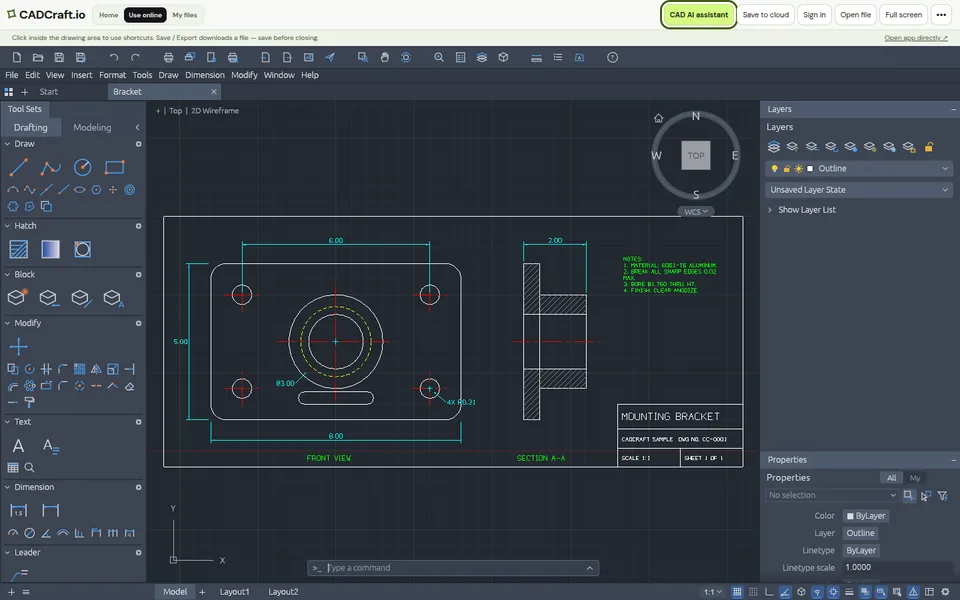
A free CAD system should be free to open, quick to learn and honest about its limits. CADCraft is a free CAD system that runs in any modern browser. Draw in 2D with familiar commands, open DXF and DWG files, save DXF and ask the AI assistant when you would rather describe the drawing.
01 / QUICK ANSWER
A free CAD system is computer-aided design software you can use without paying. You draw plans, parts and details, edit files and export them to other CAD tools. Free comes in several kinds: browser tools, open-source programs, limited free plans, trials and student licences. The useful question about any free CAD system is what it lets you do and what it asks in return.
CADCraft is a free CAD system of the browser kind. It opens in a tab, runs the CAD engine on your own device and needs no account for manual drafting. It is a 2D system, so for solid 3D modelling choose a 3D program.
Start drawing with no payment, trial timer or installer. Manual drafting needs no account.
Lines, polylines, circles, arcs, hatches, text, dimensions, layers and object snaps.
Open DXF and DWG drawings, then save or export DXF for other CAD tools.
Windows, macOS, Linux, ChromeOS, tablets and phones, in a current browser.
Describe a drawing, change a selection or ask how a command works. Only AI requests use credits.
Guest drawings stay on your device until you save or export them.
02 / COMPARE
Most lists of the best free CAD system mix several kinds of free. Read the last column before you start paid work.
| Kind | What you get | Where it runs | Check first |
|---|---|---|---|
| In a browser (CADCraft) | A working CAD editor with nothing to install; drafting needs no account | Any device with a modern browser | That 2D drafting covers your job; AI requests use credits |
| Open-source desktop programs, such as FreeCAD or LibreCAD | The whole program under an open licence, usable offline | A download for Windows, macOS or Linux | Which file types it opens; DWG support varies |
| Free plans from CAD vendors | A full tool inside limits the vendor sets | A browser or a desktop computer | Whether paid work is allowed and whether documents are public |
| Free trials | A paid program for a short time | A browser or a desktop computer | The price after the trial; a trial is not a free system |
| Student and education licences | A professional tool while you study or teach | Usually a desktop computer | That you are eligible and what the licence allows |
03 / HOW TO
From the first click to a finished DXF, the free CAD system works the same on Windows, macOS, Linux and ChromeOS.
Click Start drawing for free. The editor loads in your browser with toolsets, layers, properties and a command line.
Type a command such as LINE or CIRCLE, start from the sample, or open a DXF or DWG file.
Snap, trim, offset, dimension and organise layers. Undo takes you back whenever you need it.
Use File → Save or Export to download DXF. Sign in only if you want Save to cloud in My files.
04 / WHAT YOU GET
Everything below is part of the free CAD system. Only the optional AI assistant uses credits.
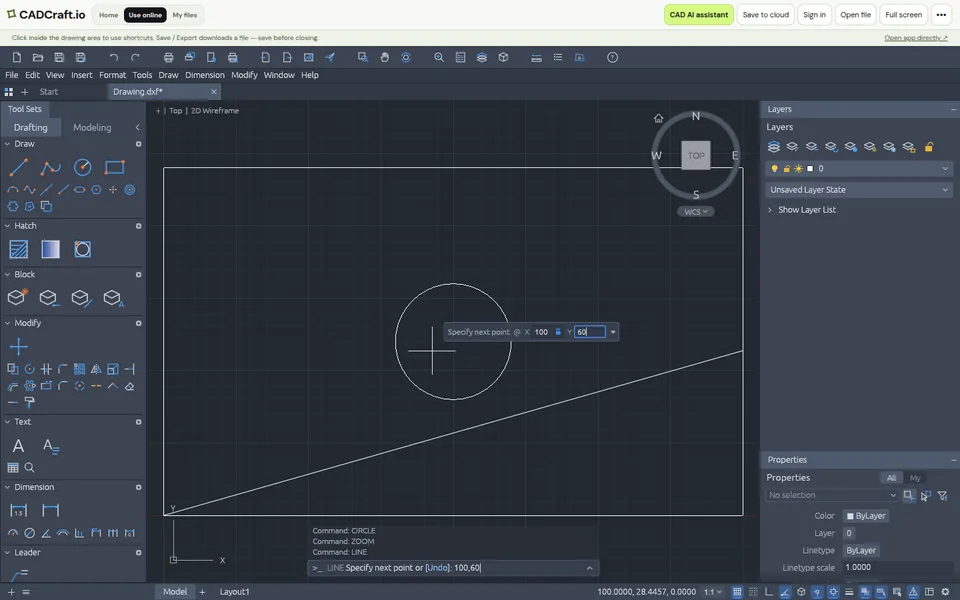
The free CAD system keeps the command-driven workflow drafters know. Type a command or its alias, follow the prompt and enter points, distances or coordinates.
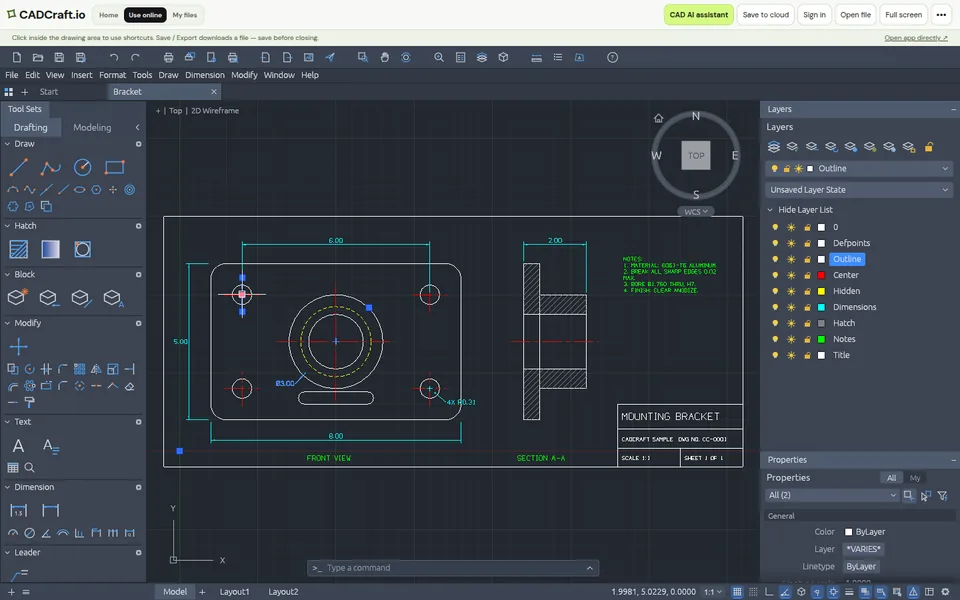
Organise drawings the standard way in this free CAD system: show the layer list, switch layers on or off, lock them, assign colours and check selected objects in Properties.
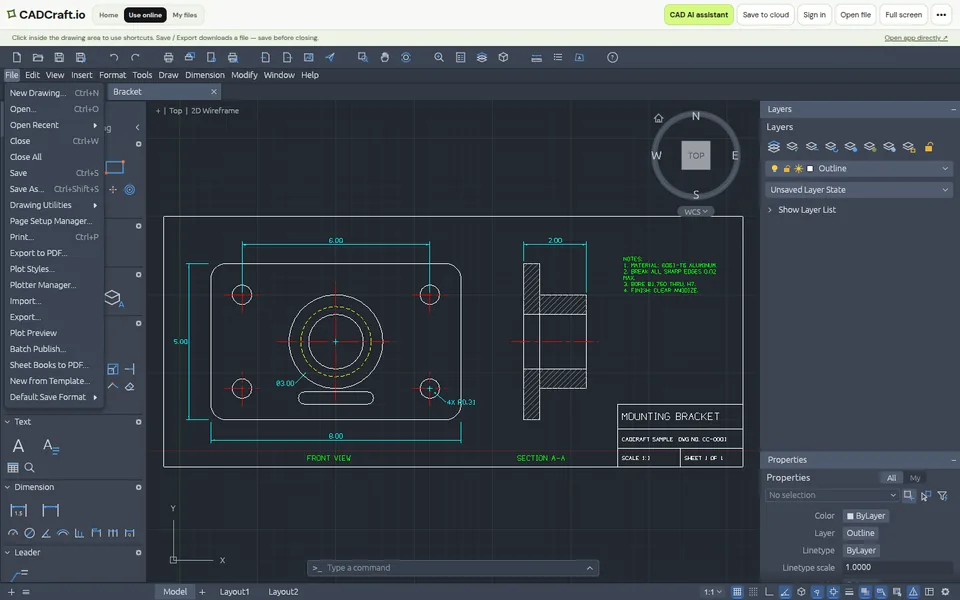
Open a DXF or DWG drawing with Open file or the File menu. Save and Export download files to your device, so the free CAD system fits the CAD tools you already use.
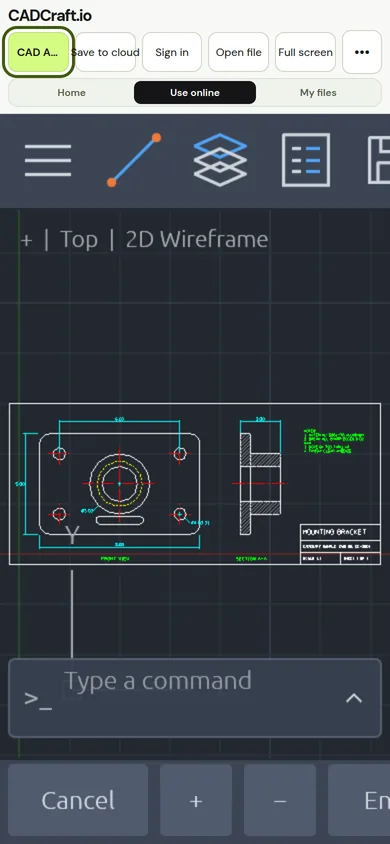
The editor adapts to small screens. It fills the screen and the command line stays reachable on touch devices, which helps when you check a drawing on site.
05 / AI OPTION
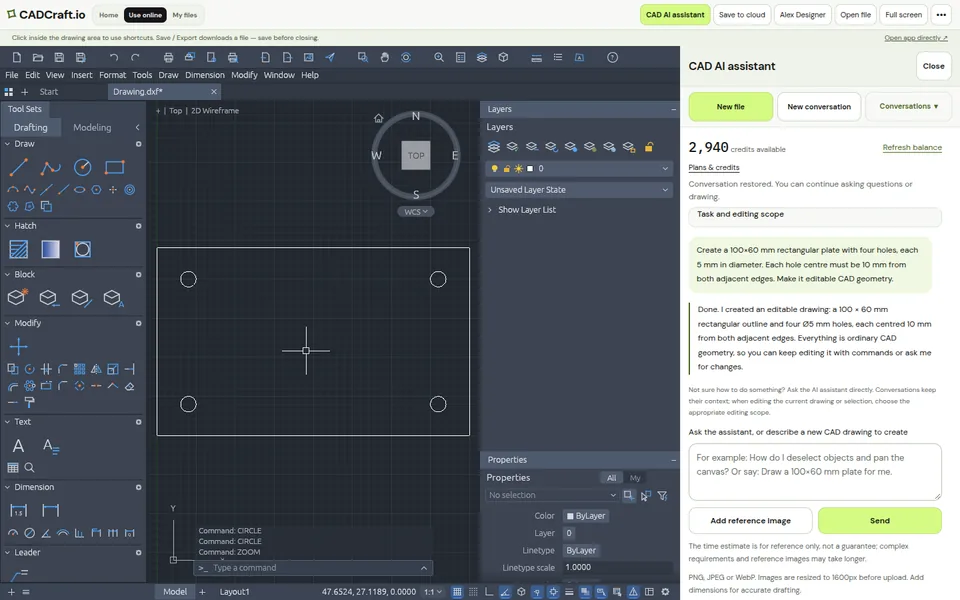
Open the CAD AI assistant to create a new drawing from a description, modify an existing drawing or selected objects, or ask how a tool works. The answers and the drawing appear in the same chat beside the canvas.
Manual drafting in the free CAD system stays free. AI requests use credits after you sign in, and first-time users receive 15 welcome credits.
06 / CHOOSE
Pick by the job, then read the licence. These are the questions that decide most cases.
Use a browser free CAD system such as CADCraft. Nothing to install.
A 2D free CAD system is enough. CADCraft works on any device.
Choose a free CAD system that runs in the browser.
Choose a 3D program. CADCraft is a 2D system.
Read the terms of any free CAD system first; some free plans are for non-commercial use only.
Use the AI assistant to create or edit the drawing, then refine it by hand.
07 / LIMITS
08 / FAQ
It depends on the job. For quick 2D drawings and DXF or DWG files with nothing to install, CADCraft is a free CAD system that opens in your browser. For 3D solid modelling choose a 3D program, and open-source desktop programs suit offline work.
Yes. In CADCraft, drawing, opening, saving and exporting are free, with no trial timer. Only the optional AI assistant uses credits, and new users receive 15 welcome credits.
Yes. CADCraft opens in the browser, so there is nothing to download or install, and drafting needs no account.
You do not need one. The free CAD system runs in the browser, and Export lets you keep a DXF file on your computer.
CADCraft opens DXF and DWG files and saves DXF. Compatibility varies by file version and content, so keep the original and check important drawings.
Yes. It runs in a current Chrome, Edge, Firefox or Safari with WebGPU or WebGL2 on Windows, macOS, Linux and ChromeOS, and it adapts to tablets and phones.
Read the terms of every tool first, because some free plans are for non-commercial use only. The licences and terms for this site are on the Licenses & privacy page, and you can write to support@cadcraft.io with questions.
The CADCraft AI assistant creates editable CAD geometry from a description, edits selected objects and answers questions about the editor. Review the result before you rely on it.
Not automatically. Guest drawings stay in your browser. Cloud save happens only when you sign in and choose Save to cloud, and AI requests send your message and the drawing context to the AI service.
FREE CAD SYSTEM
Open CADCraft, draw your first line or ask the AI assistant to create the drawing. No installation and no account for drafting.
CADCraft CAD Online home · See plans and credits · Licenses & privacy